



IMPORTANT: YOU MUST SIGN AN L2 DATA USAGE AGREEMENT BEFORE USING THIS INTEGRATION
Unlike other L2 integrations, Meta does not have a direct billing relationship with L2. This means you need to contact your L2 representative or email integrations@L2-data.com to obtain an L2 data usage agreement. This basic agreement requires reporting the usage of all L2 audiences in Meta (Facebook/Instagram) each month. For billing purposes, only the total number of impressions for that month is needed, and L2 will invoice your organization based on this aggregate. If your rate with L2 is $1.50 per thousand impressions, then your total cost for 100,000 impressions would be $150.
How to Use the L2–Meta(Facebook/Instagram) Integration
Step 1: Create a Universe
Begin by making your desired selections within L2 DataMapping. Once complete, save those selections as a universe.
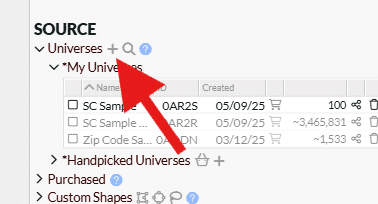
Note: You do not need to purchase data to use the Facebook integration.
Step 2: Transmit the Universe to Facebook
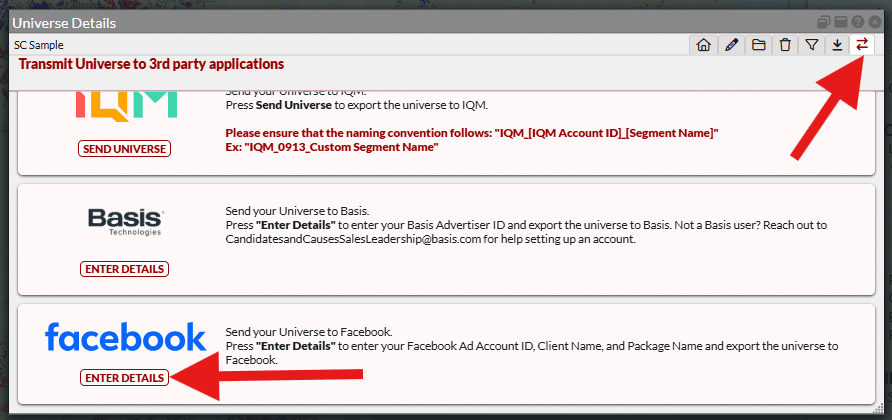
Navigate to the “Transmit” section of the platform. Scroll through the list of integration partners and select Facebook.
Step 3: Enter Your Ad Account ID, Client Name and Package Name
Click the “Enter Details” button. You will be prompted to enter your Facebook Ad Account ID(s) Facebook Client Name and Facebook Package Name. Just above the required information for setting up your account, you will find important steps to ensure that audiences coming from L2 via LiveRamp appear in your Meta account. Click for additional detailed directions from LiveRamp on distributing audiences to Meta.
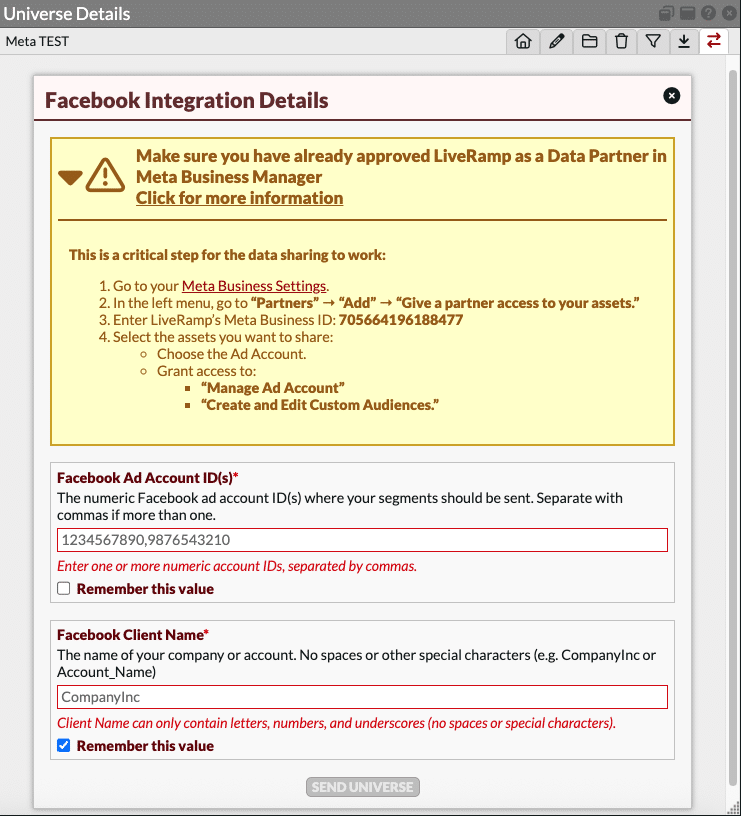
You’ll have the option to save these selections for future use by selecting “Remember this value.”
Step 4: Wait for the Universe to Appear in Facebook
Once submitted, your universe will be distributed to your Facebook account.
If your Facebook Ad account is already active and correctly set up, your audience should appear within 1–2 business days.
Need Help?
- For L2 support, contact: jordan.hubbard@L2-data.com